
Agent Skills
Every team has knowledge that lives outside the code: conventions, review checklists, runbooks, deployment procedures. Agent skills let you package that knowledge into reusable instructions for Ask Sourcebot.
A skill is a set of instructions with a name, a description, and a slash command. Once it exists, there are two ways it gets used:
- Let the agent decide: Ask Sourcebot sees the skills available to you and automatically loads one when it's relevant to the question.
- Invoke it yourself: type
/in the chat box and pick a skill (e.g./review-checklist).
Write skills from scratch in the skill editor, or bring in ones you already have:
- Import from a markdown file: drop in a markdown file and Sourcebot picks up the
nameanddescriptionfrom its frontmatter. - Import from a repository: import a skill file straight from an indexed repo. Repo-imported skills stay synced to their source file, so when the file changes upstream, Sourcebot lets you know an update is available.
- Share with your team: skills start out personal. Share one to make it available to everyone, and admins can manage the shared catalog (including auto-enrolling members into a skill) from the workspace settings.
Attachments in Ask
You can now attach files directly to an Ask Sourcebot message:
- Text, code, and config files via the paperclip button, drag-and-drop, or paste. Large pastes are automatically converted into attachments.
- Images, when the selected model supports image input.
Mermaid diagrams
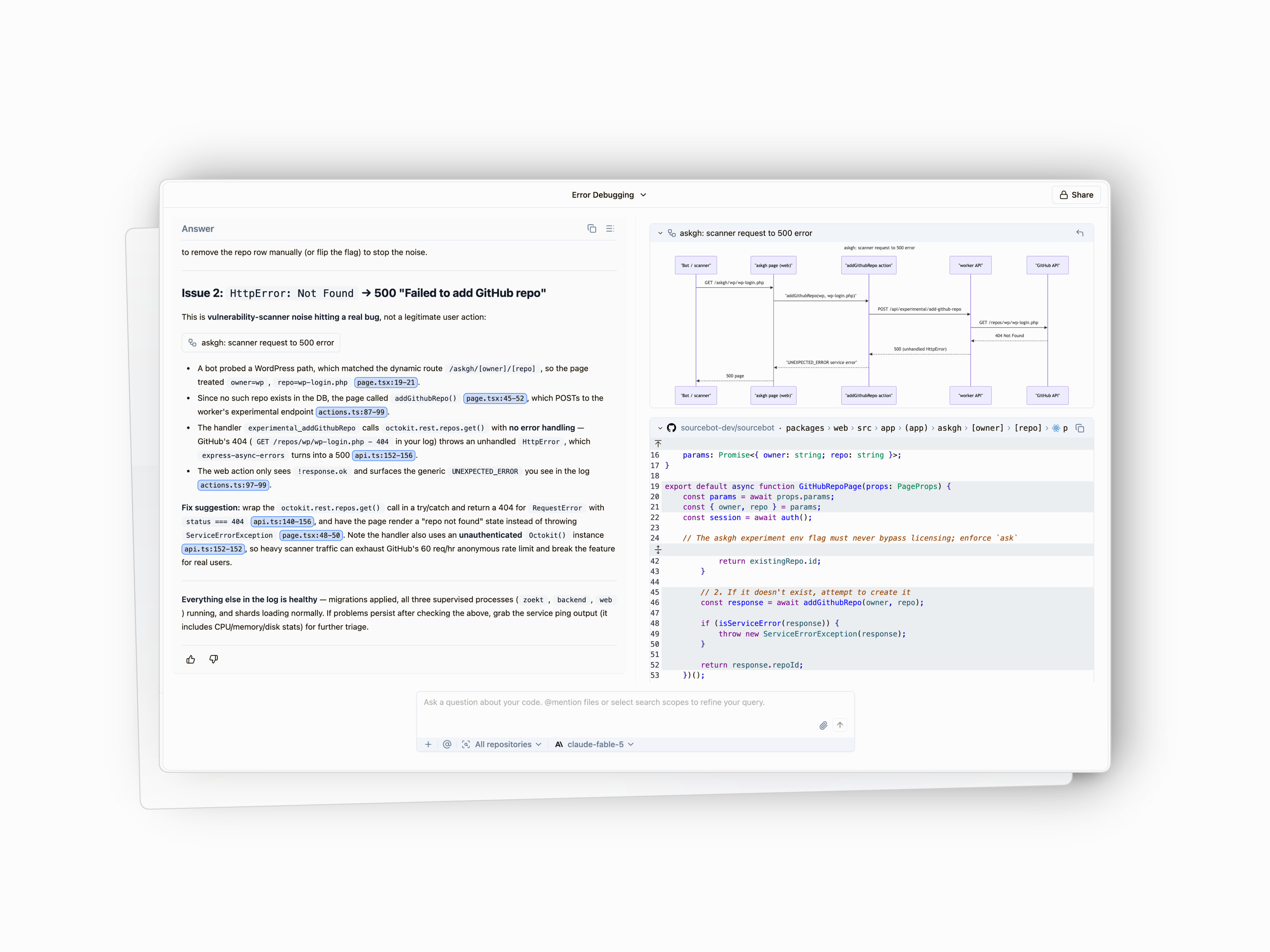
Ask Sourcebot now renders mermaid diagrams in its answers. Pan and zoom around large diagrams, copy or export them, and share deep links that jump straight to a diagram within a thread.
SCIM provisioning
Sourcebot now ships a SCIM 2.0 server for automated user provisioning and deprovisioning from your identity provider (Okta and Microsoft Entra are supported). When someone joins or leaves your organization, their Sourcebot access follows automatically.
And more
- Prompt caching for Ask Sourcebot: the agent's prompt prefix is now cached across steps and follow-up turns on Anthropic models, cutting token costs on long conversations.
- Cost transparency: chat details now show per-step token costs, a cached-token breakdown, and a context-window usage gauge for the selected model.
- Security settings: configure email code and credentials login, and review your configured SSO providers, from the new workspace Security page.
- Faster code browsing: file contents, folder listings, and diffs are now fetched client-side, keeping the app responsive on large files and commits.
- Hardening: HTTP security headers on all responses, GitHub webhook signature verification, OAuth scope validation and DPoP sender-constrained tokens for MCP clients.