
How we reached bug zero using Linear
We're big fans of Linear. Part of the reason for this is that it seems to Just Work ™️, which is unfortunately becoming less and less common in software these days.
Their zero bug policy is the likely cause for this. This basically boils down to a simple rule: if someone reports a bug, either decide you're never going to fix it or fix it right now. Inspired by this, we've committed to a zero bug policy at Sourcebot. Here are the steps we did to do this using Linear.
Make it easy to submit bugs
One way to reach bug zero is to make it impossible for people to submit bugs. Probably don't do that.
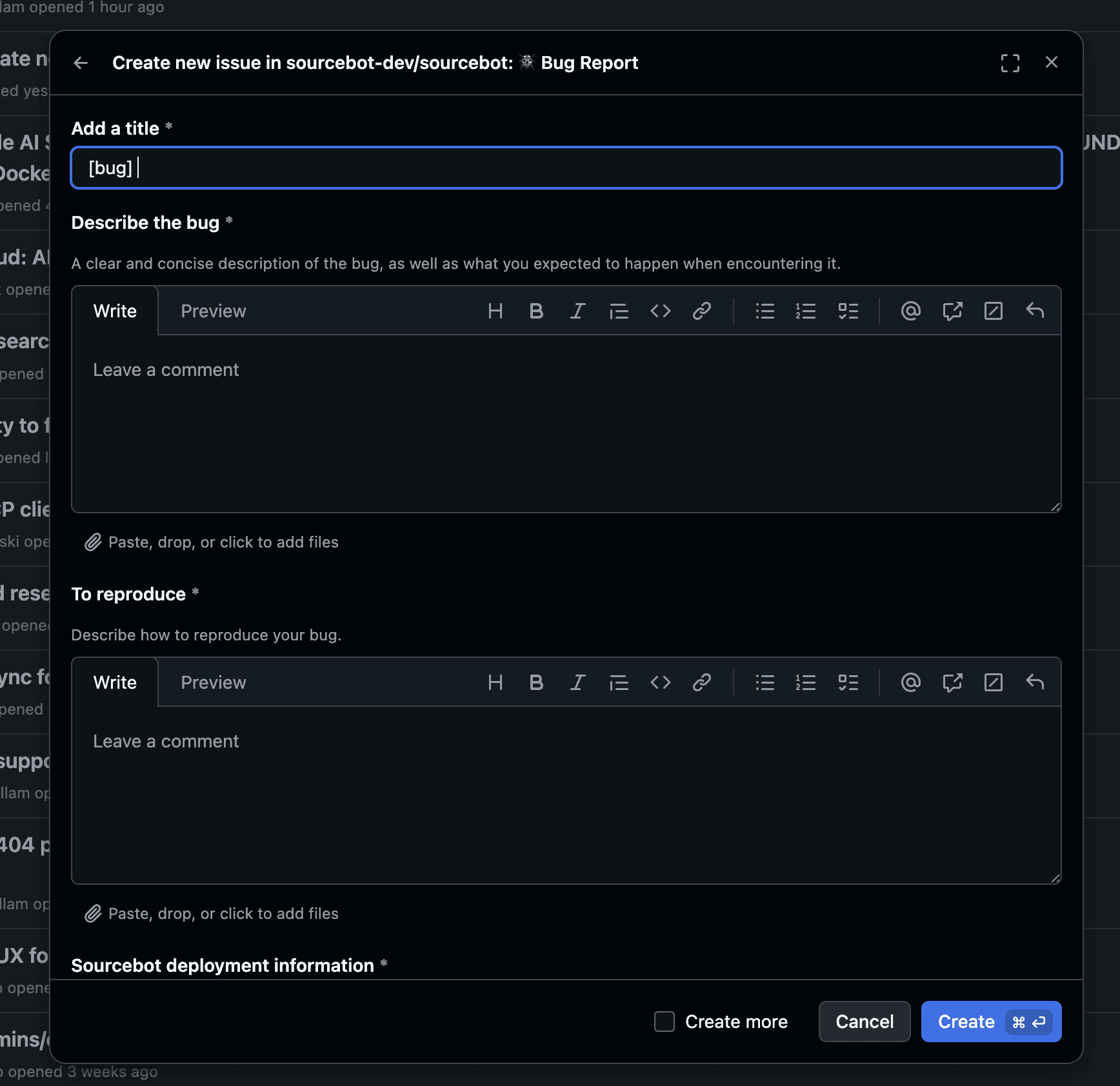
Instead, you should make it as easy as possible for your users to submit detailed bug reports. The most important thing here is that you can 1) assess whether this is a user issue or product issue and 2) reproduce the issue on your side.
Sourcebot is open source, so we track bugs on our issues page. This is one of the benefits of being an open source developer tool!
Track bugs properly
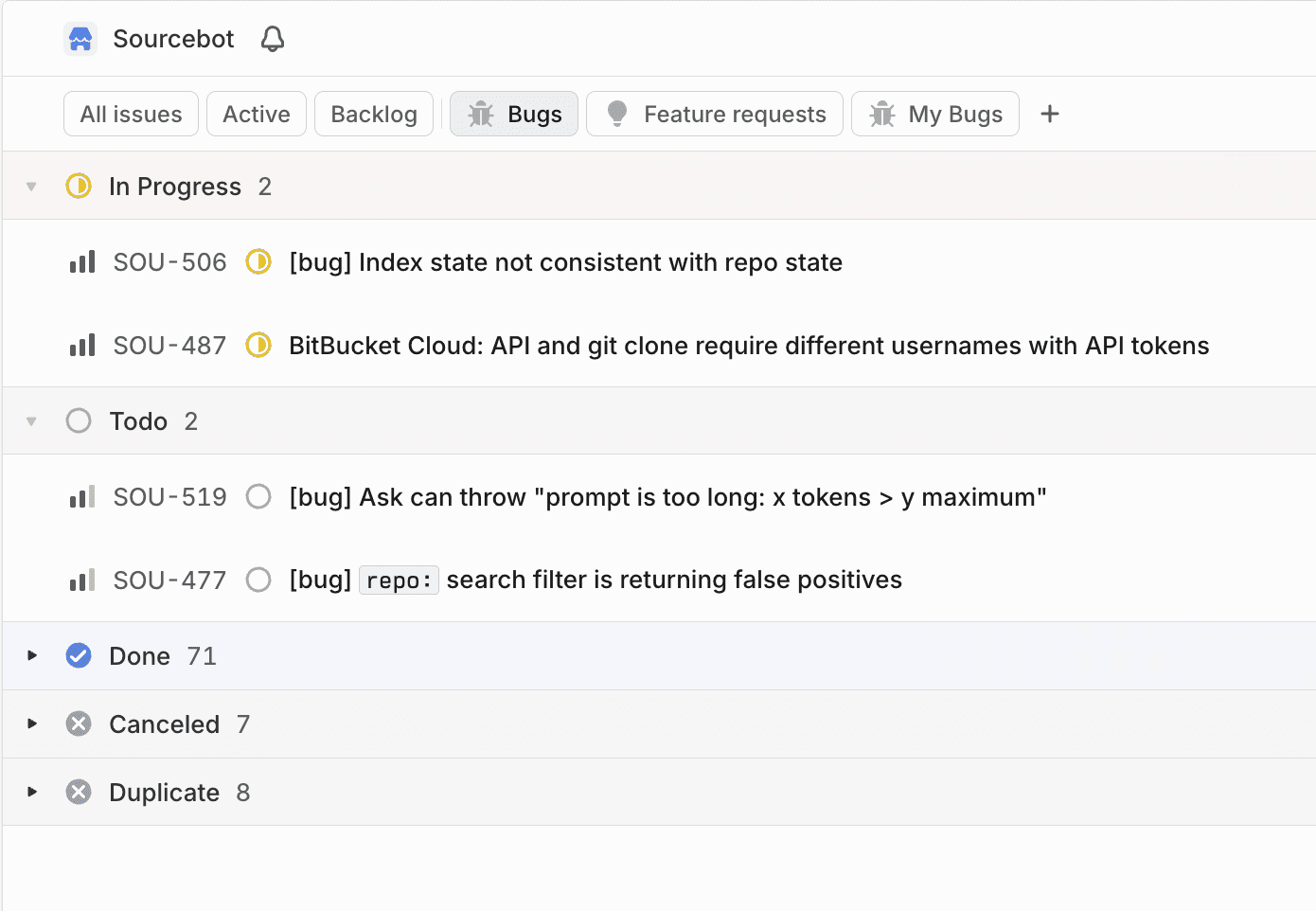
To reach bug zero, you need to make sure you have a clear understanding of all the open bugs in your product. This is super easy for us using Linear with their GitHub integration. All bugs automatically have a Linear issue created for them with the Bug label for easy filtering:
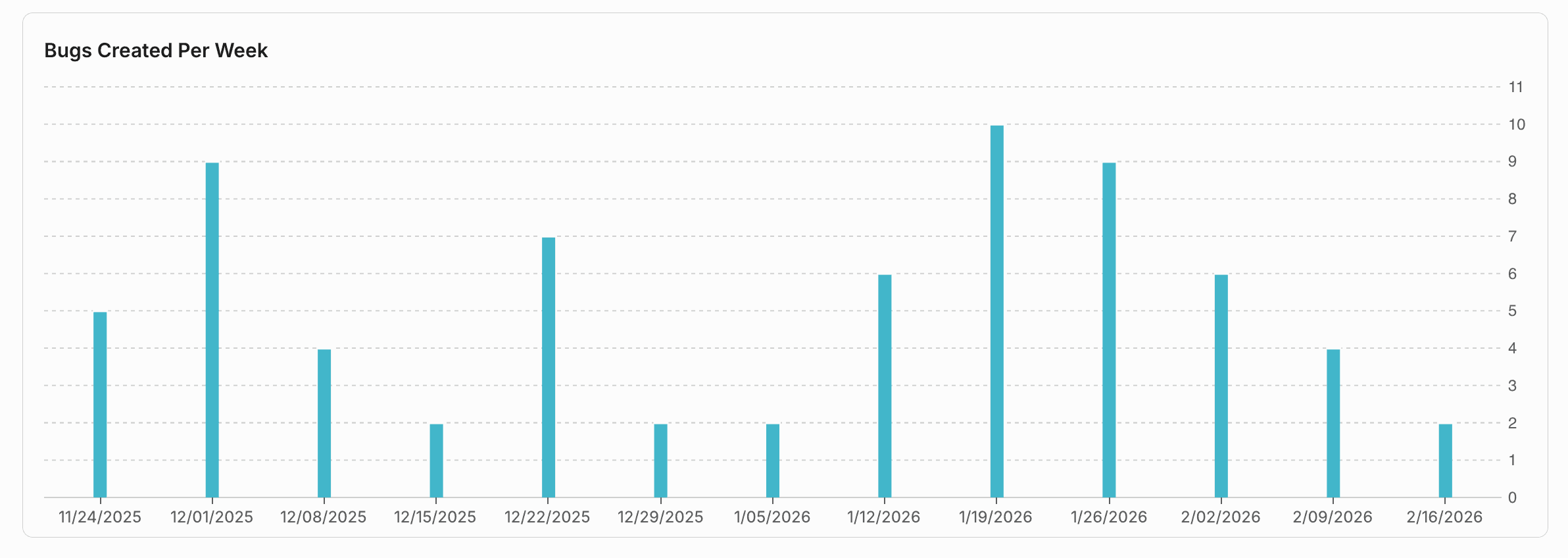
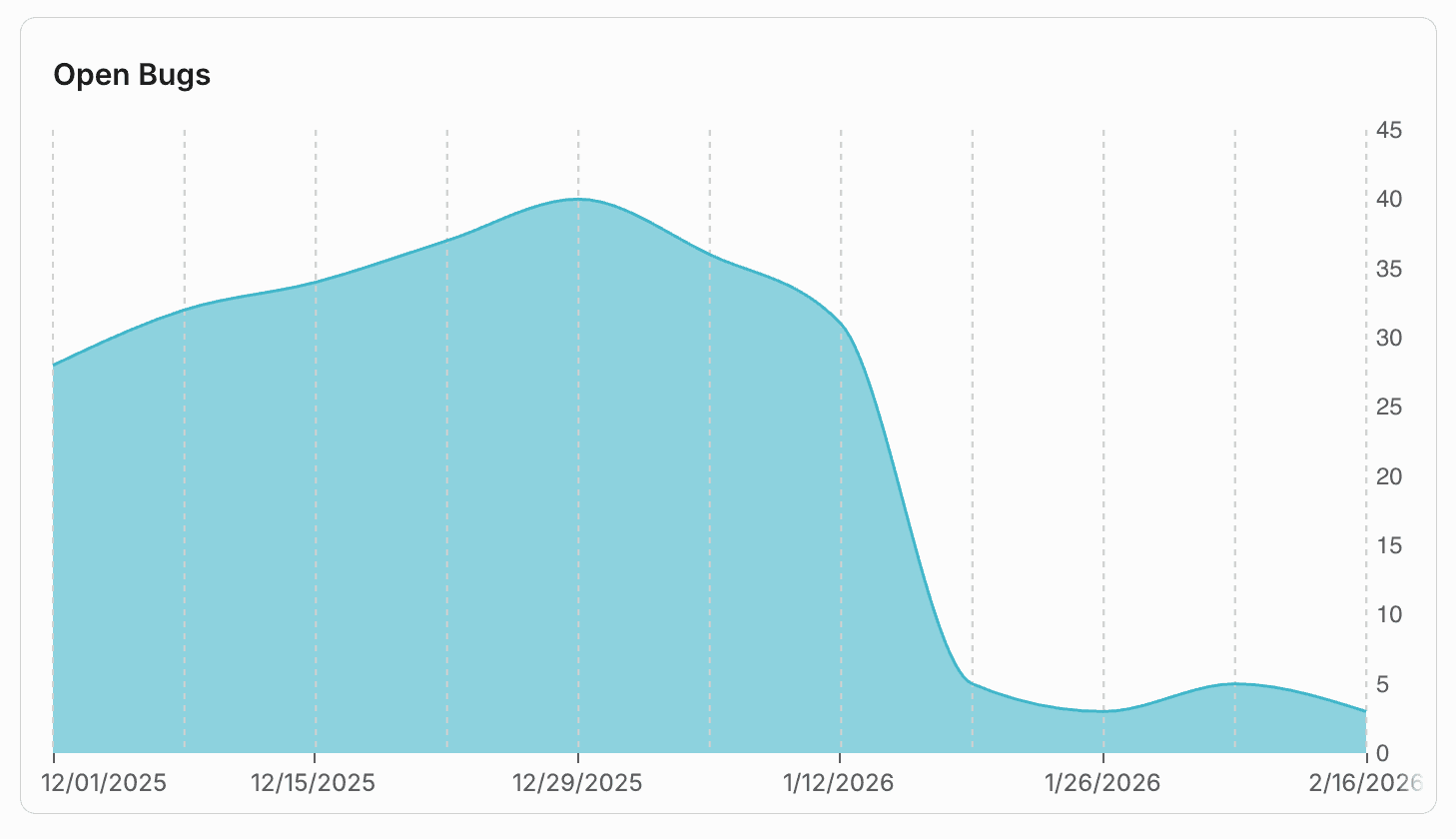
Linear also has a dashboard feature that you can use to visualize your bugs created over time, which is a great way to get a read of your support load at a glance:
Set SLAs
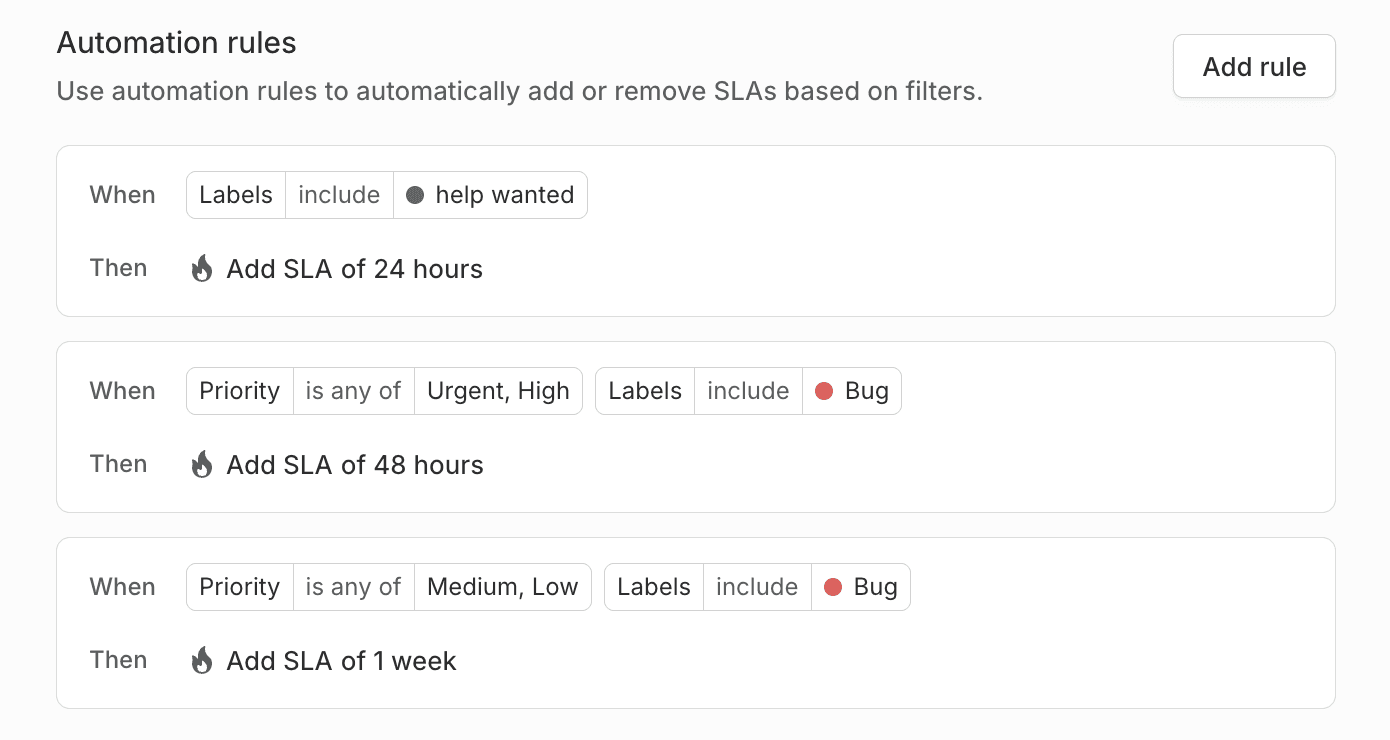
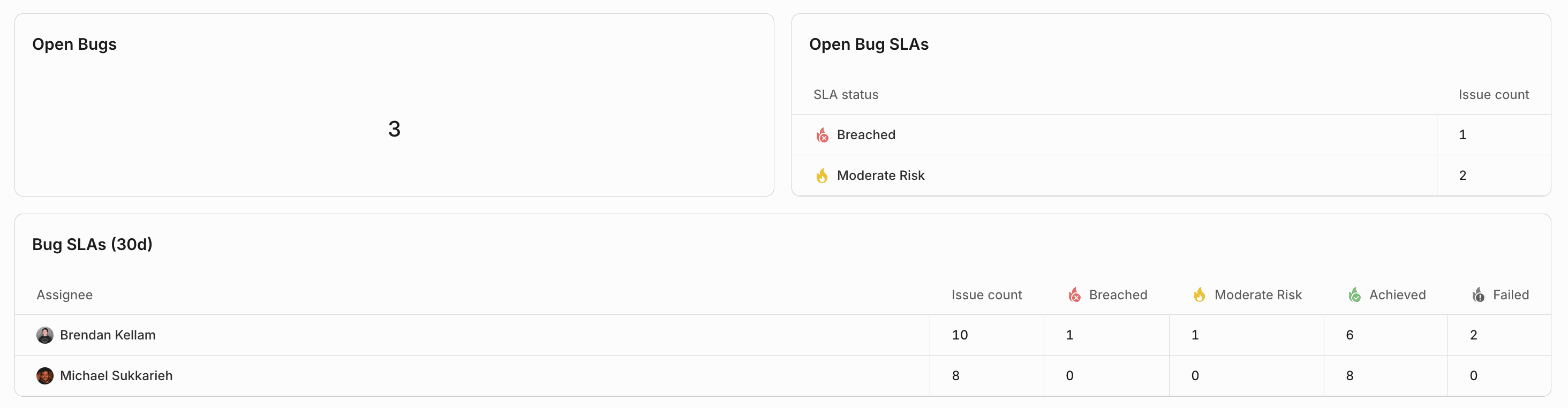
Accountability is key to ensure that bugs that get assigned to people get completed. Linear's SLA feature is a great way to do this. We can create automated rules to set SLAs for bugs based on their priority, and then use the dashboard feature to easily see how we're doing with reaching our SLAs at a glance. We went with 2 day SLAs for high priority bugs, and 7 days for low priority bugs.
Audit your progress regularly
All of this means nothing if you're not monitoring your product's bug health. We've made bug zero one of our primary goals as a company, and we review our bug progress weekly in our sprint meetings. Linear's burn-up feature is a great way to see our progress here over time. This helped us stay motivated when we initially committed to bug zero after our bug list piled up during YC.
You can also build additional insights to see how your team is doing with SLAs at a glance:
Tell your users
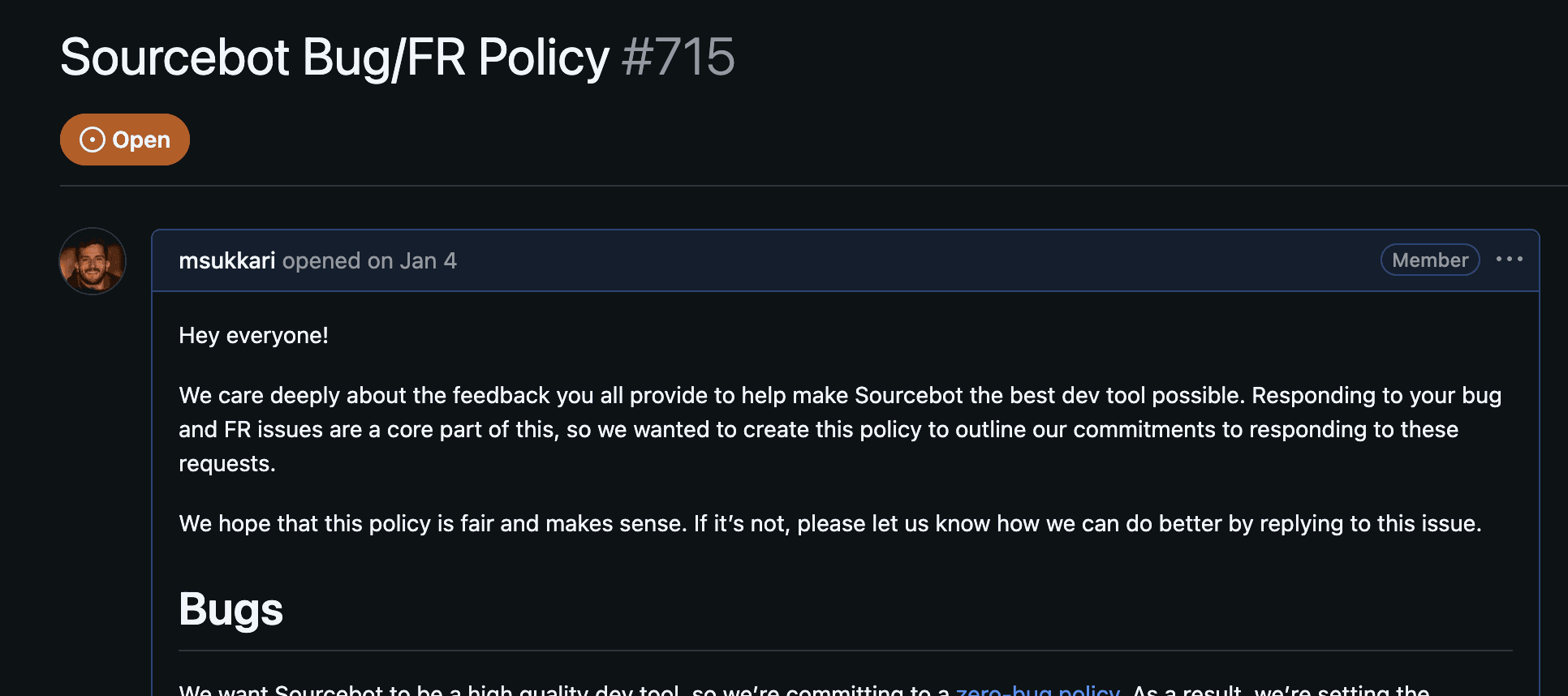
One of the best ways to commit to something is to tell people about it. Not only does this hold your team accountable to stay disciplined with bug zero, but it also defines clear expectations between you and your users. For example, if we're unable to repro an issue we require the user to provide more information. In our public bug policy, we explain that these bugs will be closed if they don't reply within our SLA.
Final thoughts
This has definitely not been easy. This requires us to regularly evaluate our priorities with bugs and new feature requests which takes time. However, the alternative is to have a pileup of bugs that impact developers' enjoyment of using our product. When you frame it in that way, the answer to go bug zero is obvious.